

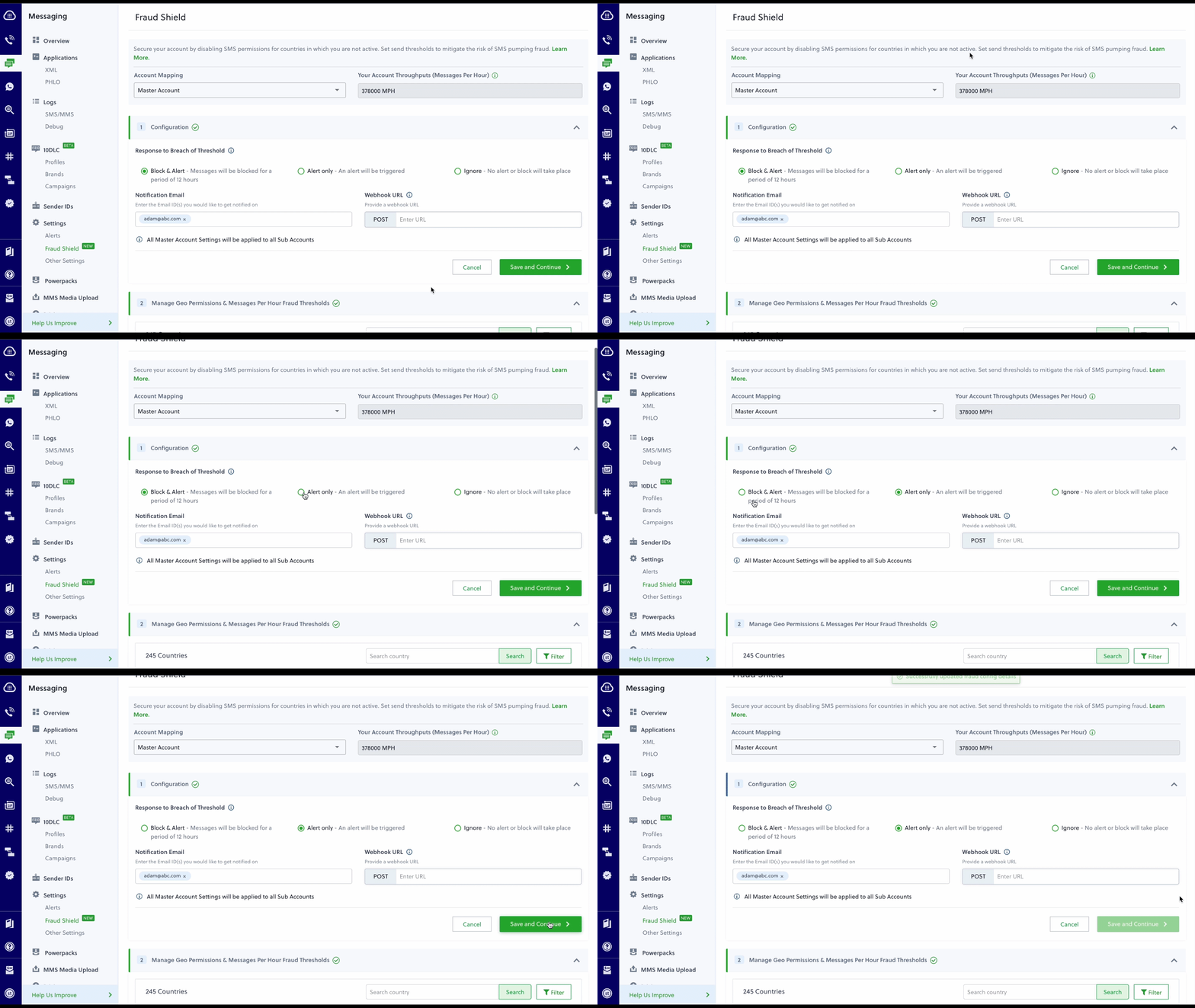
How to configure Fraud Shield
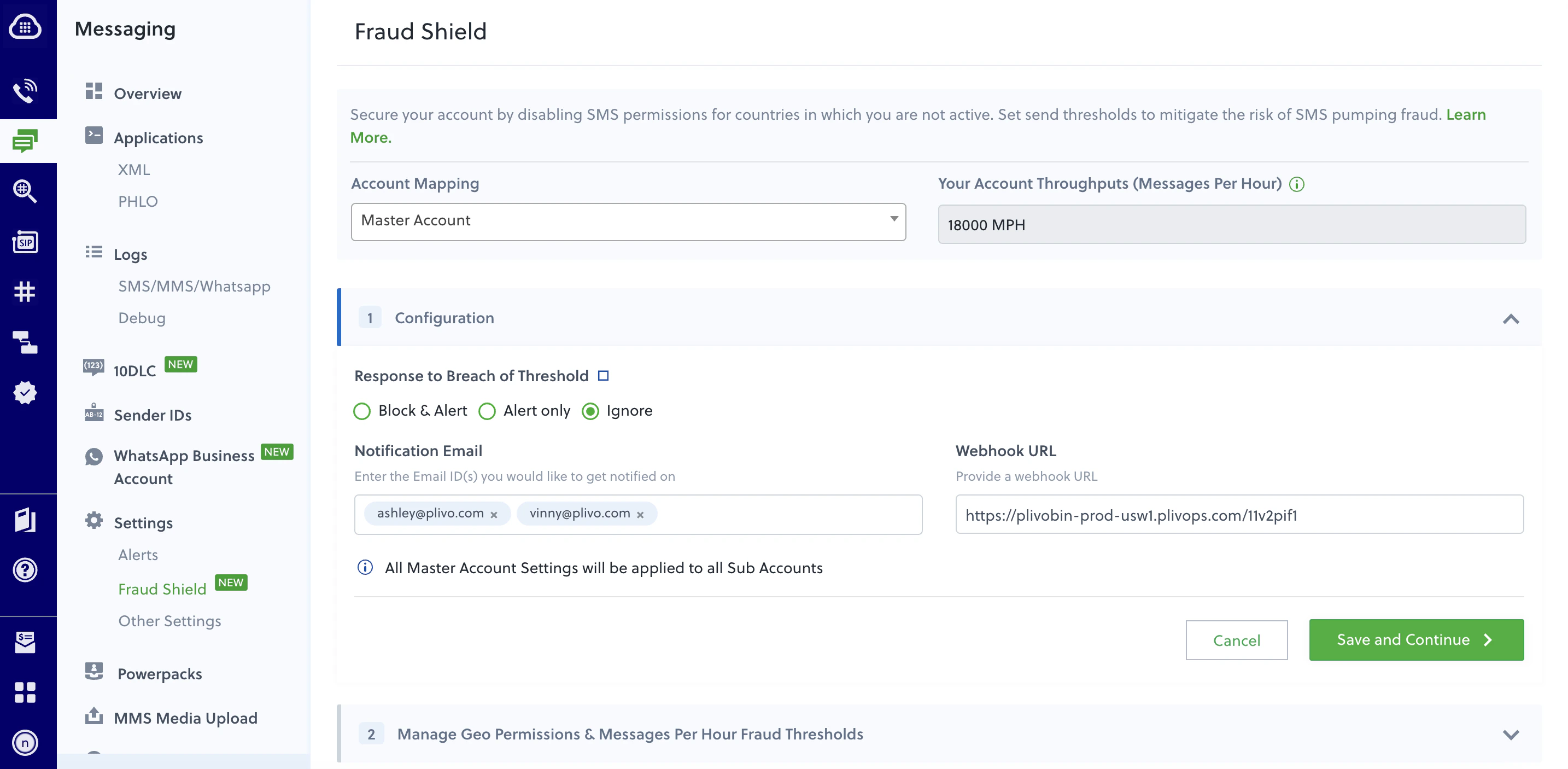
You can specify how Plivo’s Fraud Shield will respond in case of a threshold breach. A breach occurs when your hourly messaging volume exceeds the Fraud Threshold value you have set. There are three options to choose from in response to a Fraud Threshold breach.- Block and Alert means that in the event of a breach, your messages will be blocked with error code 451 for a period of 12 hours. An alert will also be triggered to notify you of the breach.
- Alert Only will simply trigger an alert. No messages will be blocked.
- Ignore means in case of a breach, no alert or block will take place.
Manage Geo Permissions and messages per hour fraud thresholds
You can manage Geo Permissions to enable and disable destination countries depending on your business needs. We strongly recommend that you disable message sending to countries where you are not active to protect yourself from SMS pumping attacks. Messages to blocked countries will fail with error code 450. Plivo’s Fraud Shield classifies destination countries based on RISK levels. To further prevent fraud, set up message-per-hour (MPH) thresholds based on risk for the countries in which you have messaging activity. Fraud Shield also recommends fraud threshold values calculated based on the last 15 days of activity from the selected account to the destination country.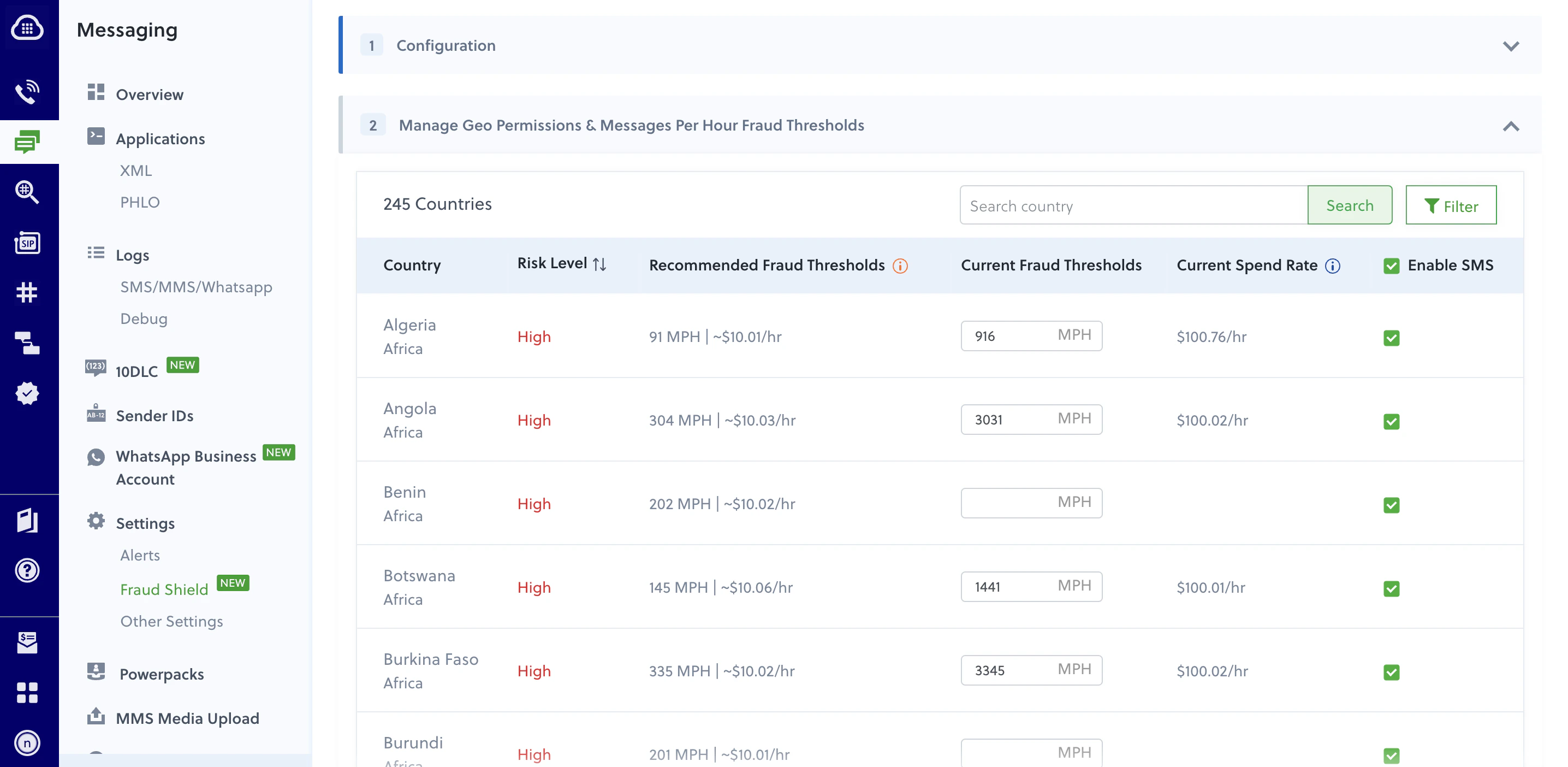
Overriding preferences for specific subaccounts
Default preferences apply to all SMS messages sent from the main account and all subaccounts. However, you can override Geo Permission preferences at a subaccount level. Specify preferences for a subaccount by selecting the subaccount from the Accounts dropdown, changing your preferences, and clicking “Save Changes”.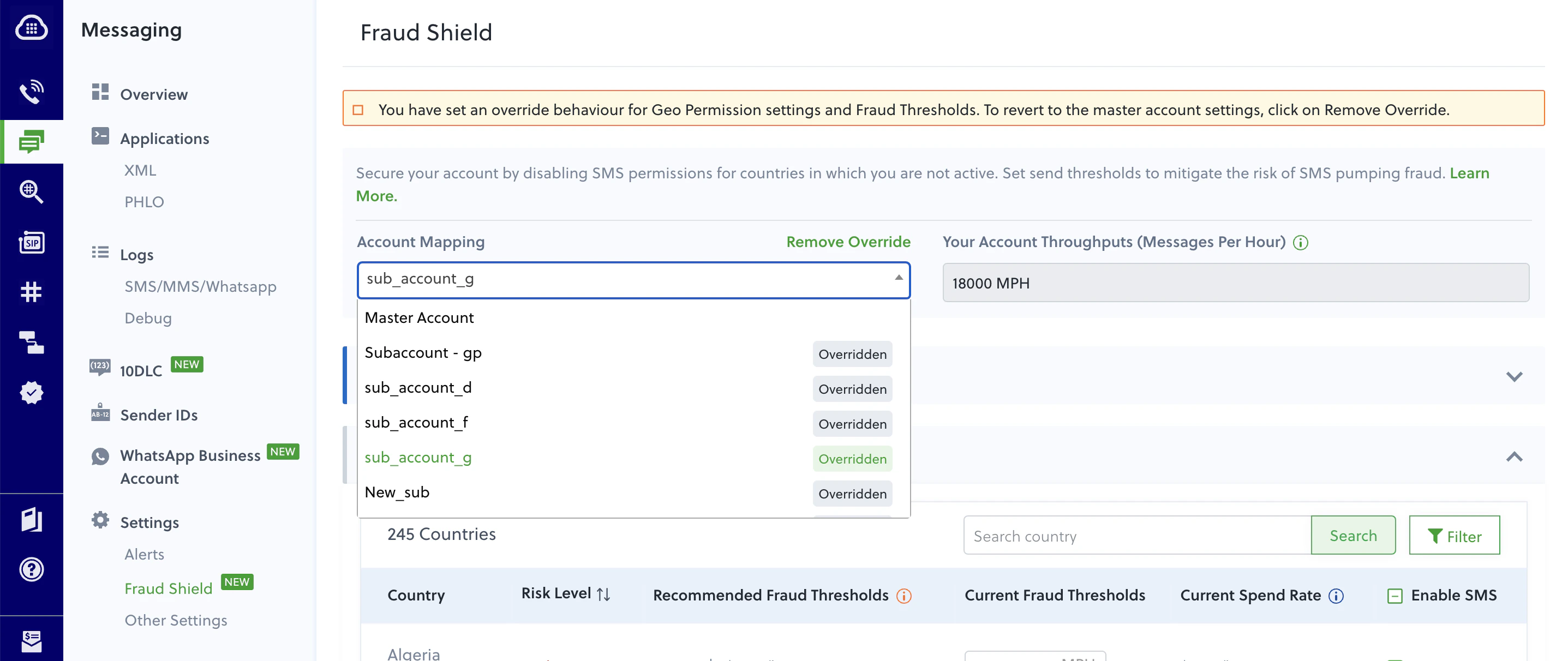
- Navigate to SMS > Settings > Geo Permissions in your Plivo console.
- Select the subaccount for which you want to remove the override.
- Click on Remove Override.