

-
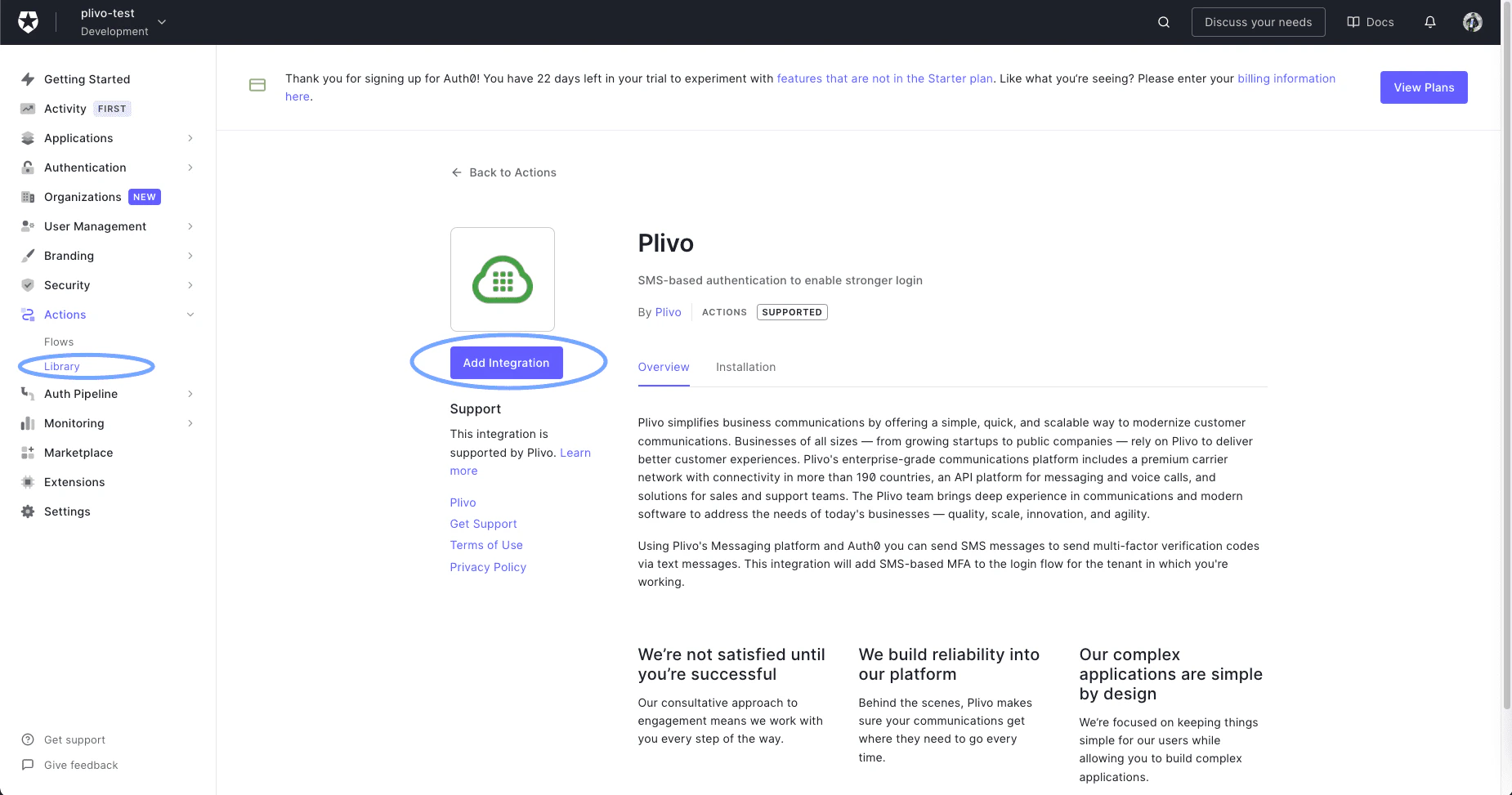
Go to Actions > Library and select Add Integration.
-
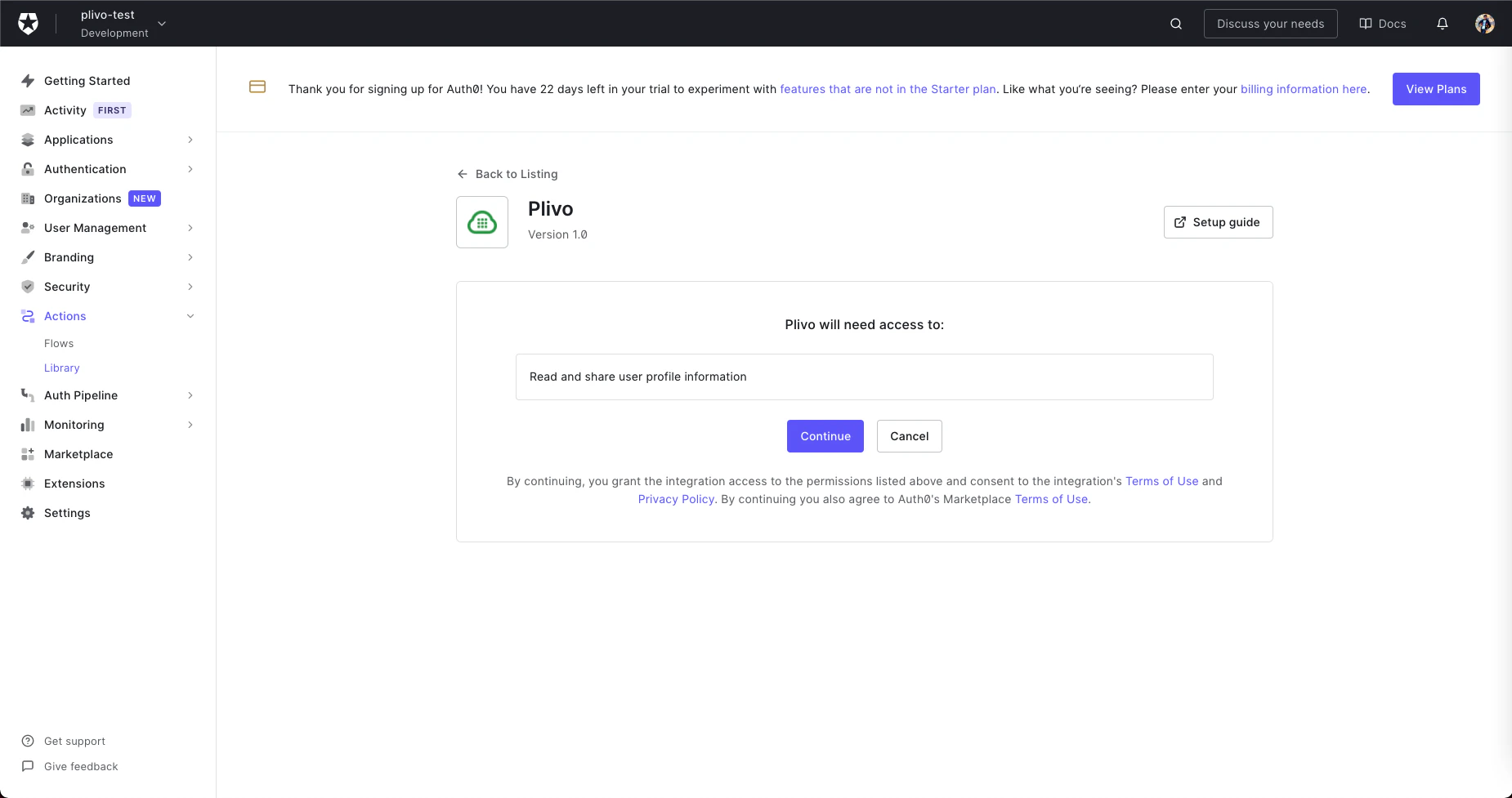
Read the necessary access requirements and click Continue.
-
Configure the integration by filling in the fields on the next screen with your Plivo Auth ID and Auth Token and your Plivo phone number.
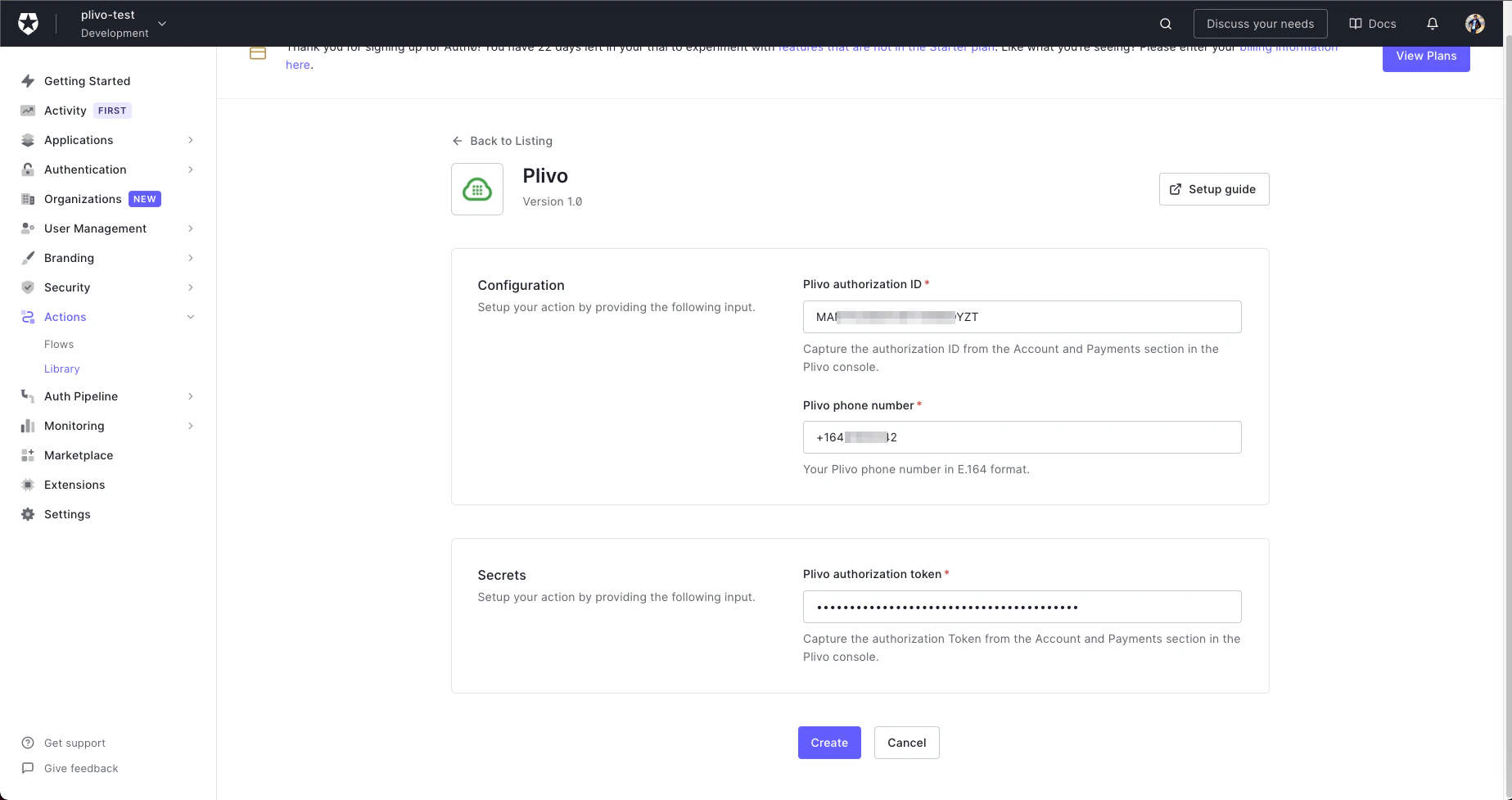
- Click Create to add the integration to your library.
-
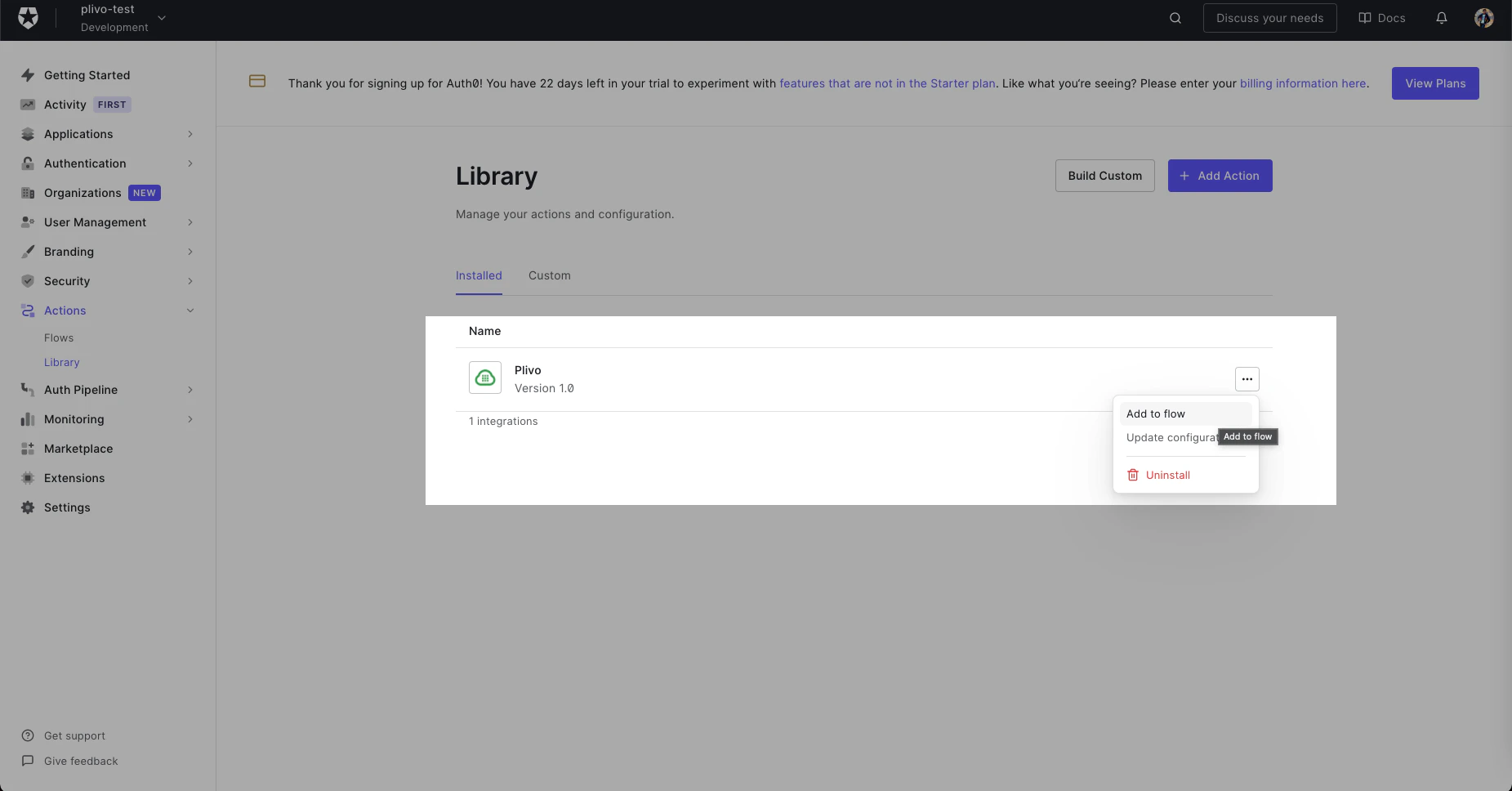
Click the Add to flow link on the pop-up that appears.
-
Drag the Action into the flow.
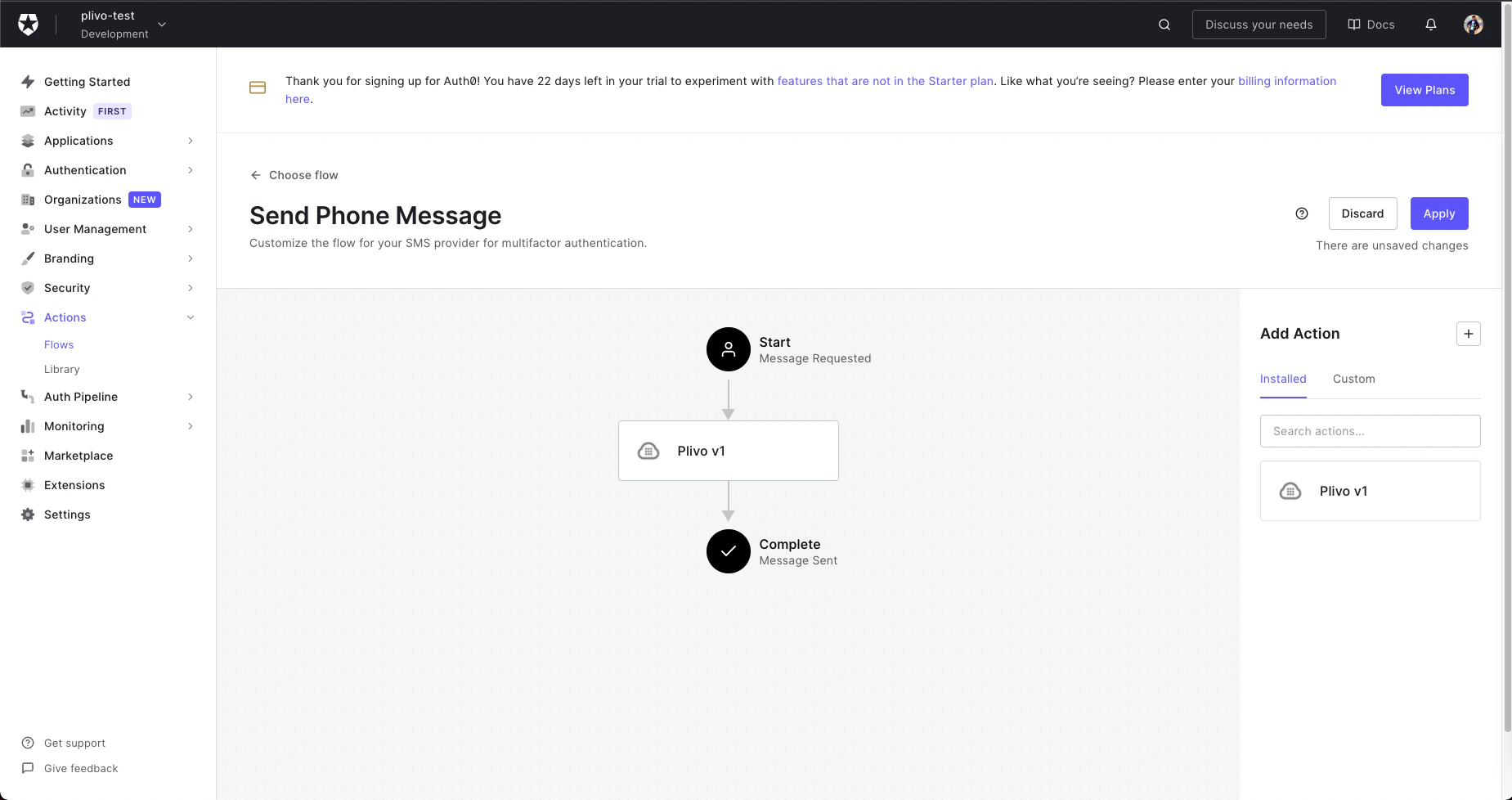
- Click Apply Changes. Now this flow will use the Plivo integration to send an SMS message whenever it’s called.
Auth0
Add the Action
To integrate Auth0, first sign up for an account. Add an Action (a triggerable function), then integrate it with your authentication flow.